
Paper or digital.
One source of truth.
Enterprise information is often fragmented between scans, shared drives and databases, and information on paper only complicates it. Aurora brings all your information into one trusted, connected data source, so it is complete and ready when decisions need to be made.
Powered by 
Paper, files and databases in one flow
Classified, read and linked with context
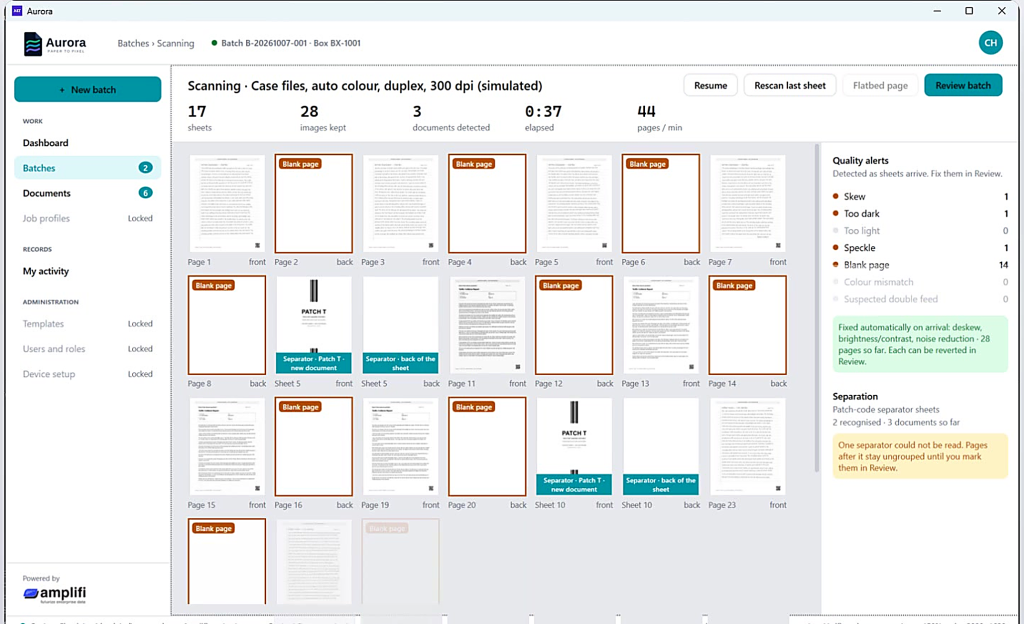
Skew, dark and blank pages handled
Review, correct and approve any value
Full lineage, into your content services
Answers in Teams and Copilot
The challenge
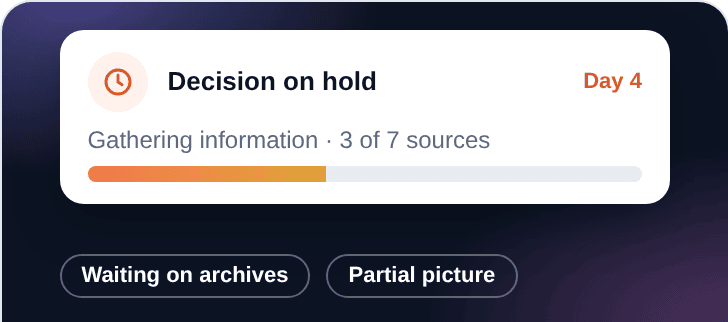
Do we have all the information?
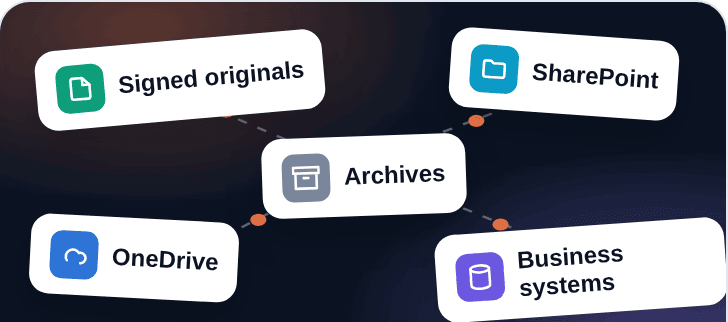
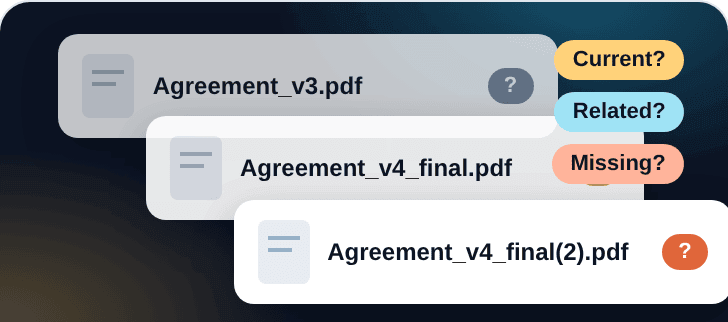
Every important decision comes down to that question. But in any organization, information is never in one place: signed originals, archives, SharePoint, OneDrive, shared drives and business systems, with duplicates, versions and handwritten notes in between. Paper isn’t the problem. Paper can be proof. The problem is that nothing connects.
Energy
Energy
Energy
From fragmented to connected. From paper to pixel.
Meet Aurora
Paper or digital.
One source of truth.
Aurora is an intelligent document management solution that brings paper and digital information together. It captures, cleans, classifies and connects every document automatically, allows a human-in-the-loop process, and delivers complete, traceable records to your content servers.
Responsible AI
Built on the ThoughtsWin SPICE framework
Secure
Latest encryption standards, logging and auditability.
Private
Runs in your own environment. Your data is not used to train public models.
Intelligent
AI-powered OCR that understands what it reads.
Contextual
AI reasoning that connects documents and context.
Extensible
On-prem or cloud, any LLM, any document type.
Watch Aurora in action
From paper to pixel in minutes
How Aurora works
Capture. Clean. Connect. Confirm. Deliver.
From scattered paper and files to connected, trusted records. Select a step to see what happens.
Step 1 of 5 · Capture
Paper and digital, in one flow
Connect the physical scanners on your network and every scanned page lands in Aurora, with no expensive middleware. Other data sources join the same workflow.
- ✓Works with physical scanners
- ✓Shared folders, SharePoint, OneDrive, databases
- ✓PDF and image files too
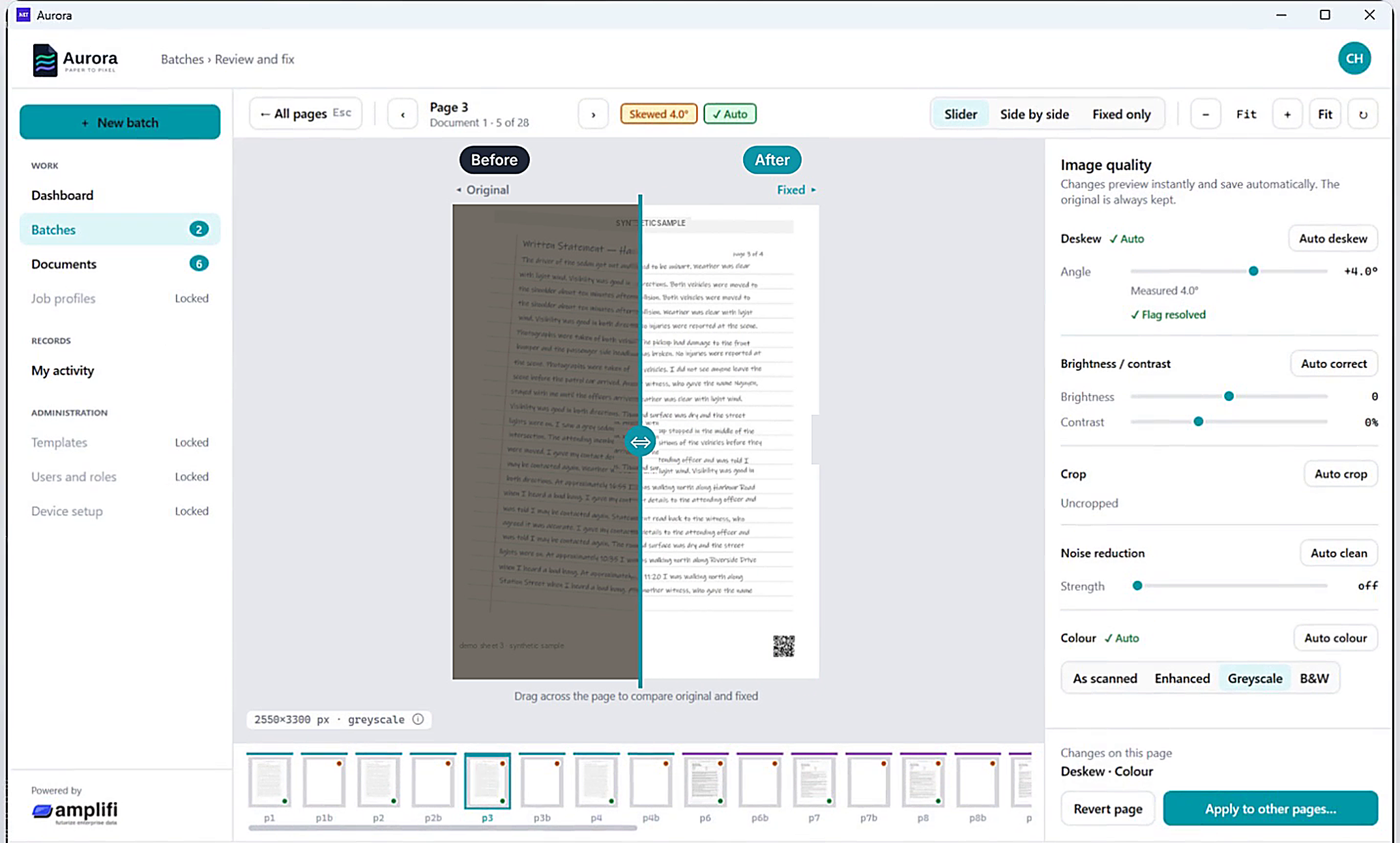
Step 2 of 5 · Clean
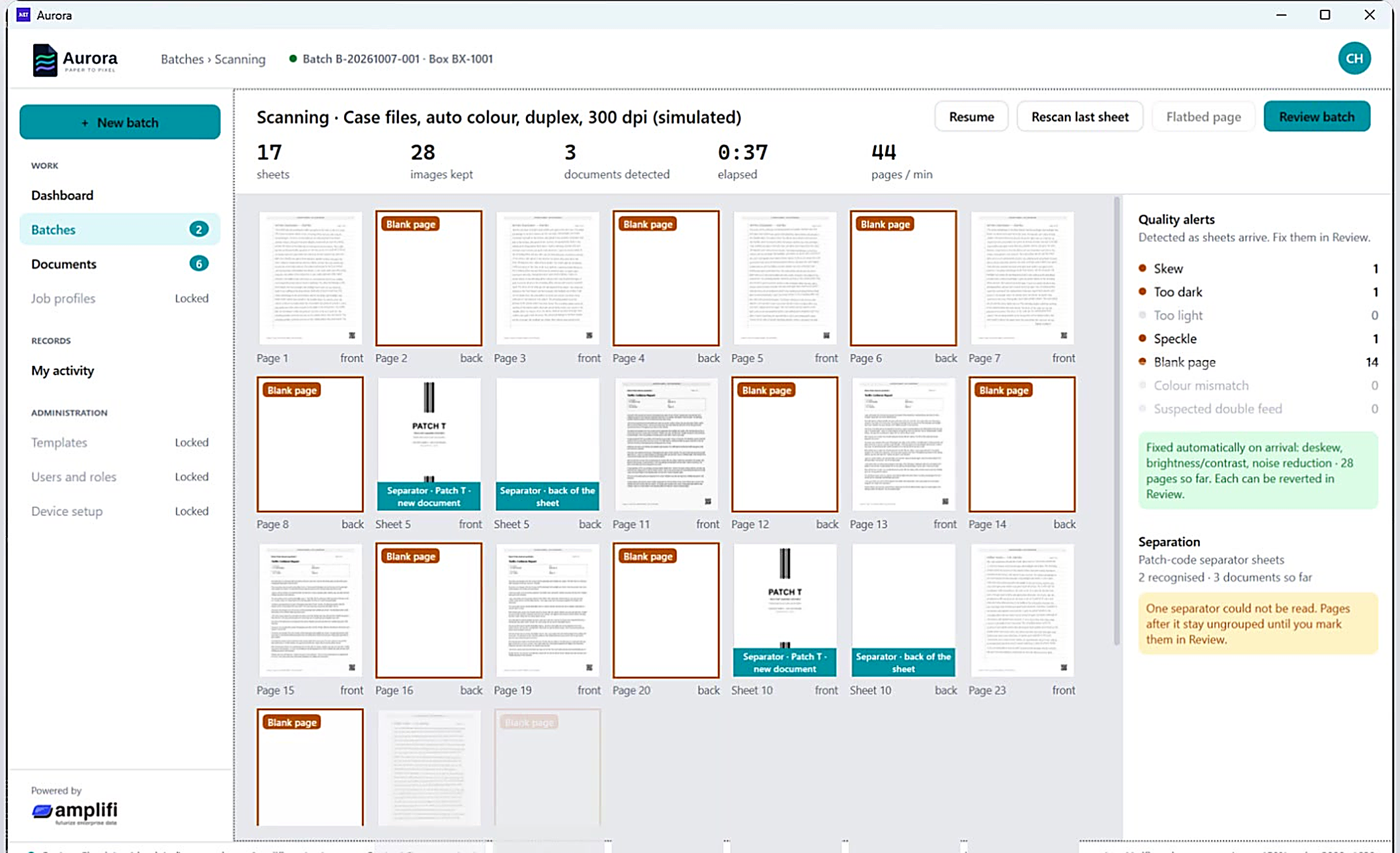
Fixed on arrival
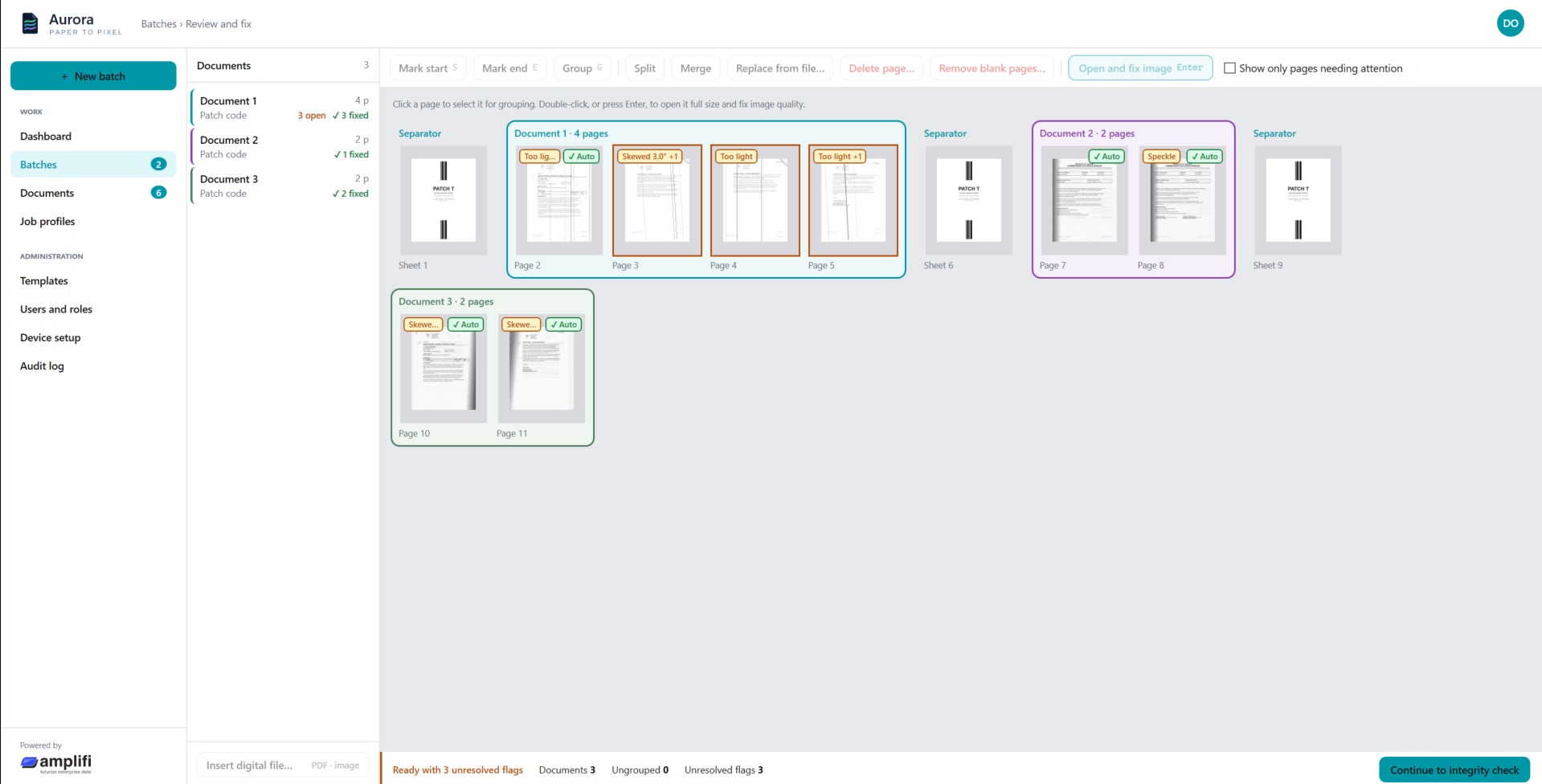
Image issues are corrected automatically or manually, and every correction is logged. Separator sheets split each batch, and blank pages go in one click.
- ✓Live alerts for skew, dark pages and blanks
- ✓Before and after view
- ✓Original always kept unedited
Step 3 of 5 · Connect
Classified, read and connected
Each document type is identified and the metadata extracted, even from handwritten notes. Records are matched and the context built.
- ✓Automatic classification
- ✓Related records matched
- ✓Add a template or field by name
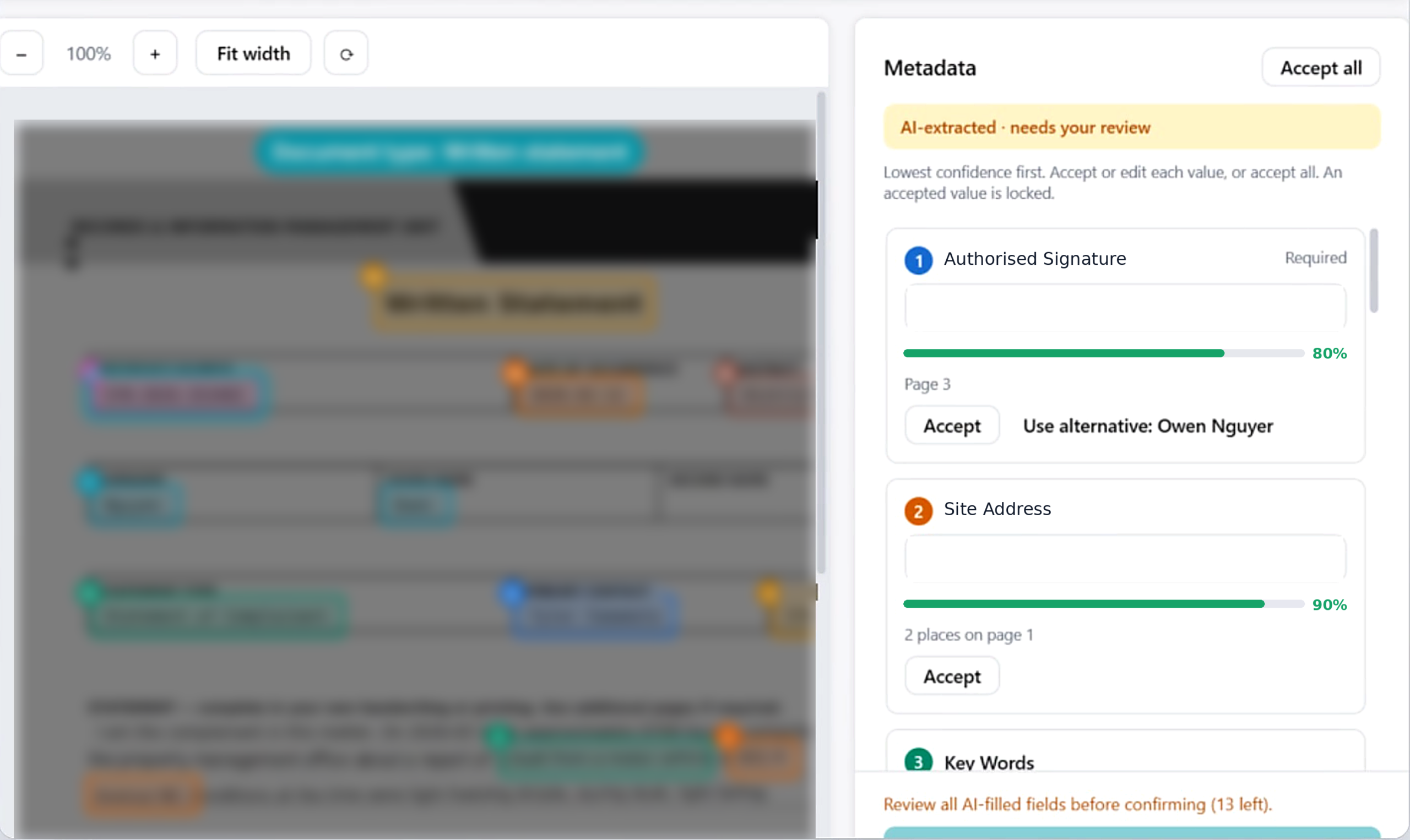
Step 4 of 5 · Confirm
Automate the routine, with a human in the loop
Automate fully, or keep people in the loop when oversight is needed. Every value is highlighted on the page, ready to review, correct and approve.
- ✓Confidence thresholds per job
- ✓Approve by field, document or batch
- ✓Nothing filed until it passes validation
Step 5 of 5 · Deliver
Filed to your content servers
Approved records are filed with their metadata. The original is kept unedited, and every action is logged: who, what and when.
- ✓Read back to confirm each filing
- ✓Automatic retry if a destination is down
- ✓Full audit history

What sets Aurora apart
Built for the moments information usually goes wrong
Most capture tools stop at turning paper into images. Here is what changes when Aurora connects your information.
Fully automated or human in the loop. You decide.
Let routine documents flow straight through, and keep a person on every record that needs one. Either way, nothing reaches your repository until it passes validation.
Architecture
Simple to run. Built to stay that way.
inside your own environment.
Source
Paper and digital
Aurora workflow
Deployed in your environment
Capture interface
Validate and correct
Destination interface
Destination
Content servers
On-premises or private cloud
Single sign-on and MFA
Encrypted at rest and in transit
Your data never trains public models
Proven in production
The engine behind Aurora is already at work
Large energy company
1.5M pages
of engineering records in progress, with more than 500,000 metadata fields extracted at over 90% accuracy
Public sector regulator
500,000
documents managed in one governed repository, fully traceable, auditable and retrievable
Online pharmacy
Audit-ready
In a regulated workflow, AI reads scans and email and drafts each order. Nothing commits until a person approves it, and every step is logged for compliance.
Certified and trusted
Industries
Wherever information meets process
Energy
Engineering records, drawings and inspection files
Public sector
Healthcare
Financial services and retail
Better together
Aurora leads. Amplifi powers it. Sharpi extends it.
Start with Aurora to bring paper and digital records together. Our Amplifi engine in the backend contextualizes it and makes it available enterprise wide. And Sharpi can extend delivery of answers with hyper-specialized agents within Copilot and Teams for a rich conversational experience.
The solution
Captures paper and digital records, cleans and classifies them, allows a human-in-the-loop process and delivers complete, traceable records to your content servers.
The engine underneath
AI that classifies documents and builds context, connects natively to structured databases and simplifies access to information across your organization.
Answers where people work
Hyper-specialized conversational agents that answer from your records, with sources, inside Microsoft Teams and Copilot.
MCP ready. Automate workflows and integrate Aurora with the enterprise applications you already run.
Plain-language search
Image intelligence
FAQ
Questions we hear most
Is Aurora only for paper?
Which scanners does Aurora work with?
Any scanner with a TWAIN driver, which covers most business document scanners. Aurora connects to them directly, with no paid middleware. Existing scans can also be added as PDF or image files.
Does Aurora replace our content management system?
No. Aurora files into the repository you already use, mapped to its own categories and attributes. Your repository stays the record of truth.
Can it run without human review?
Yes. Confidence thresholds are set per job profile. Documents above the threshold file straight through, and only exceptions go to a verifier.
How do Amplifi and Sharpi fit in?
Amplifi is the AI engine inside Aurora. It classifies documents, builds context and connects to structured data. Sharpi is an extension that puts conversational agents in Microsoft Teams and Copilot, answering from the records Aurora has connected.
Where does our data live?
Can Aurora read handwriting?
Yes. OCR and ICR read typed print and handwriting, and every extracted value is highlighted on the page so it is easy to check.
See Aurora on your own documents
Book a live demo and we will take your paper and files from the scanner and shared drives to your content services, end to end.
- A walkthrough built around your document types
- Time with the people who build the product
- A clear view of how Aurora fits your environment